Method # 2 1) Export project file as Primavera PM - (XER) and Layout File (PLF). Share the XER and PLF files with the commentatorupdater. 2) Load the exported XER file PLF into excel by using NEO-Project Toolbox. This will open XER file in...
Method # 2
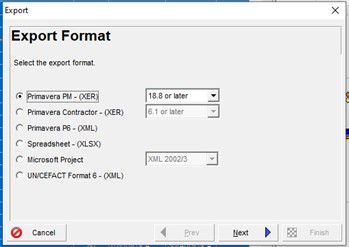
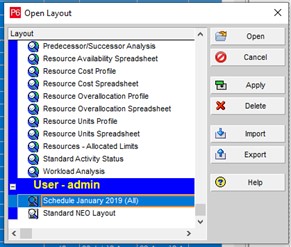
1) Export project file as Primavera PM - (XER) and Layout File (PLF). Share the XER and PLF files with the commentatorupdater.
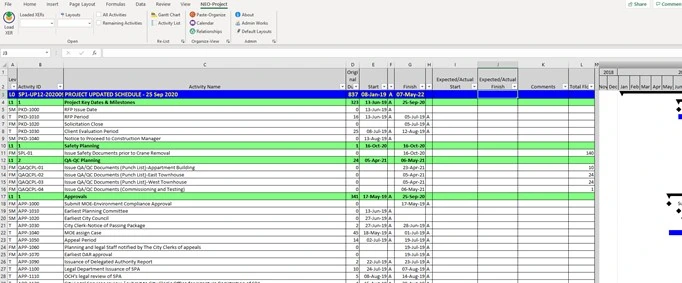
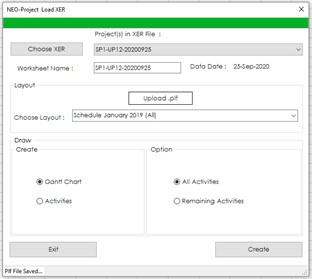
2) Load the exported XER file PLF into excel by using NEO-Project Toolbox. This will open XER file in excel with the layout.
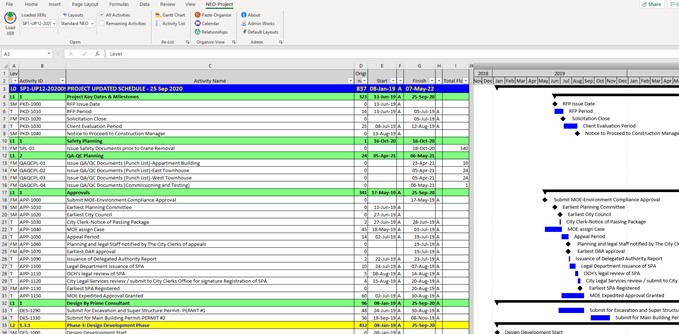
3) After the last column open 3 new column for Expected/Actual Start, Expected/Actual Finish, Comments
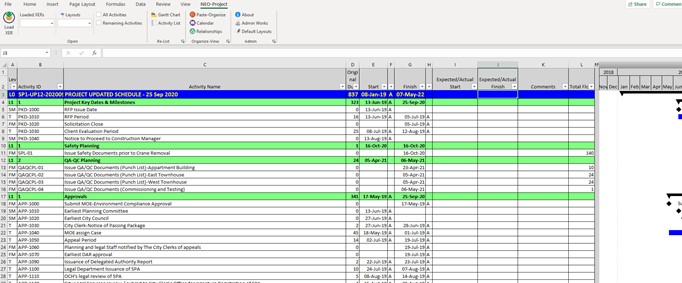
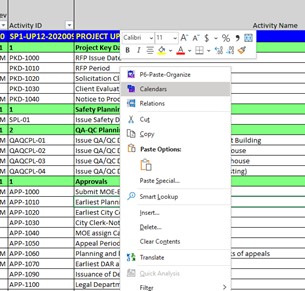
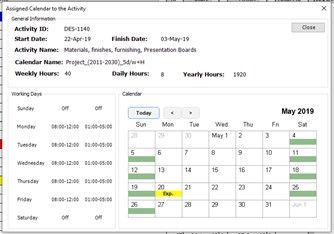
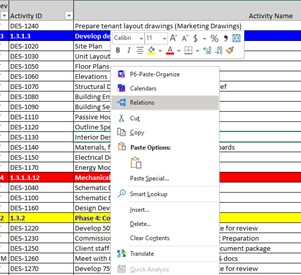
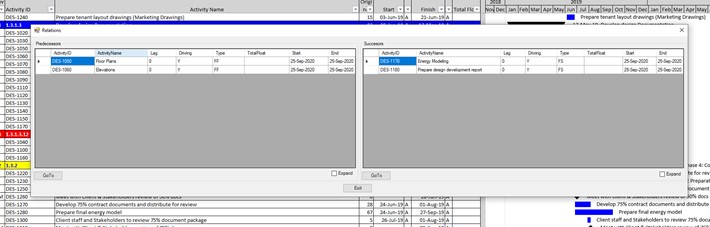
4) Save the excel file. You can record their inputfeedback into the new opened columns and send back to scheduler for updating the P6 schedule. If there is a delayshift at the starting or finishing timing of the activities at one of the activities, the delayshift reason can record in comments column. That information can be used at the schedule update narrative. 5) When you right click on the Activity Name Column, the commentatorupdater can see the activity relationship or activity calendar. With this way you can review in detail, make comments andor change request on relationship and calendar.
FAQ related for this methodology:
1) Does everybody need NEO-Project Toolbox add-in for this methodology?
Yes, all commentatorsupdaters need NEO-Project Toolbox add-in to proceed with this methodology.
2) Do commentatorupdater need to reload XER files?
NEO-Project toolbox stores the original XER data next time you can directly open the XER at the pull-down menu in the NEO-Project Toolbox add-in tab.
3) Can we filter out based on the commentatorupdater?
You can ask your scheduler to create a specific layout for specific tasks, groups, or persons such as structural works, design, etc. With the XER file if you choose the specific Layout File (PLF) you can only see those activities and proceed with this methodology.
4) Can we use different Layout Files (PLF)?
With one XER file, you can use different Layout (PLF) files easily using pull-down menus at the NEO-Project toolbox add-in tab.